In today's digital age, creating and capturing high-quality audio has never been more accessible, with home and project studios sprouting up across communities. However, navigating the vast landscape of recording, mixing, and monitoring gear can be a daunting task for aspiring producers and musicians. This comprehensive guide aims to empower enthusiasts with the knowledge to make informed decisions when equipping their studios. We'll delve into the essential components, from versatile audio interfaces that serve as the heart of your setup, to monitoring solutions that ensure accurate sound reproduction, and mixing tools that allow for creative control. By the end, you'll be equipped to transform your creative vision into reality.
- Choosing the Right Hardware: Audio Interface Selection
- Setting Up Your Studio Environment for Optimal Sound
- Mastering Mixing Techniques for Professional Results
- Calibrating and Optimizing Monitoring Systems for Accurate Listening
Choosing the Right Hardware: Audio Interface Selection
Choosing the right audio interface is a cornerstone of setting up your home or project studio. These devices act as the bridge between your musical instruments, microphones, and sound speakers, converting analog signals into digital data that can be recorded, mixed, and edited. The quality of this conversion directly impacts the clarity and fidelity of your recordings. When selecting an audio interface, consider factors like the number of inputs and outputs needed for your setup, sample rate support (higher rates offer better detail), and bit depth (also affecting dynamic range and signal integrity).
For instance, if you're a singer-songwriter recording vocals and guitar, a 2x2 audio interface might suffice with its two inputs and two outputs. However, multi-track recording bands or podcaster duos may require 4x4 interfaces offering more channels for capturing intricate arrangements or multiple mics simultaneously. High-resolution audio enthusiasts might opt for interfaces supporting 192 kHz sample rates and 32-bit resolution, ensuring every detail is captured for meticulous mixing and mastering.
Beyond specifications, think about the type of sound speakers you plan to use in conjunction with your interface. Active speakers powered by built-in amplifiers can simplify setups, while passive models require external amps. The interface's output section should match the impedance and power handling capabilities of your chosen speakers for optimal performance and minimal distortion. Many modern interfaces incorporate high-quality phono preamps, allowing direct connection of DJ turntables or vintage analog gear, adding versatility to your studio setup.
Ultimately, selecting the appropriate audio interface requires balancing your budget, project requirements, and personal preferences. Investing in a quality interface now can significantly enhance your recording capabilities, streamlining production workflows and opening doors to creative possibilities.
Setting Up Your Studio Environment for Optimal Sound
Setting up your studio environment for optimal sound is a critical step in achieving professional-grade recordings, whether you're working in a home studio or a project space. The foundation of any recording setup lies in selecting and arranging audio equipment strategically. A high-quality audio interface serves as the core component, acting as the bridge between your instruments, microphones, and digital audio workstation (DAW). Investing in a robust interface that supports multiple inputs and outputs, with low latency and high resolution, ensures accurate signal transmission, minimizing artifacts and distortion.
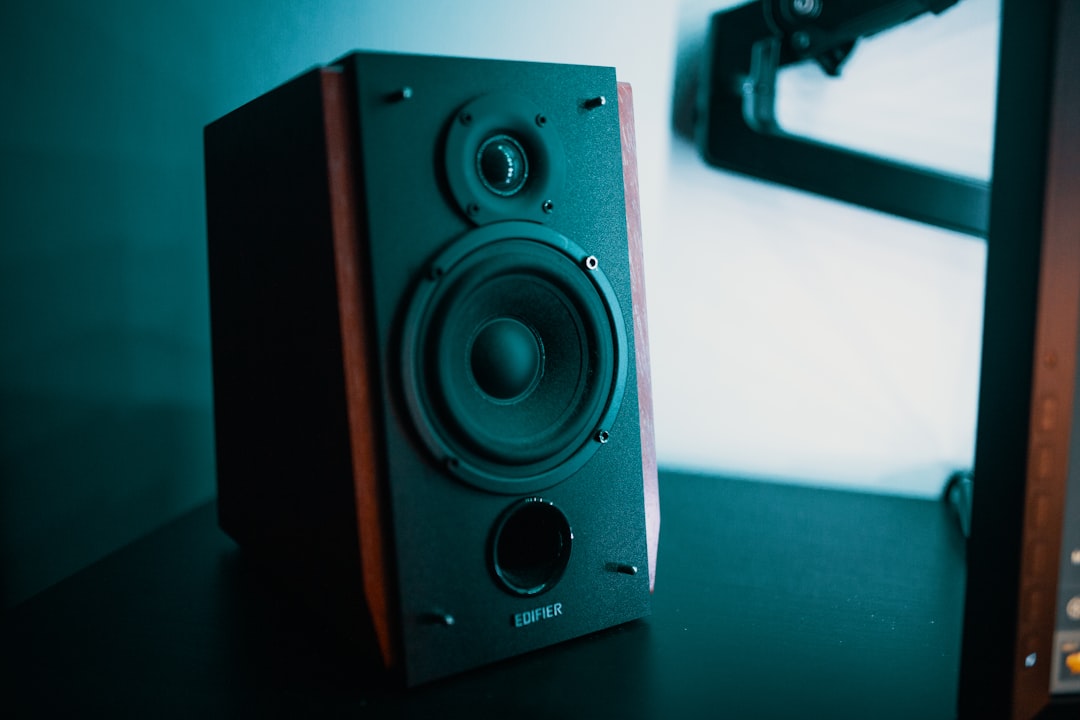
Choosing the right sound speakers is another vital consideration. Monitor speakers specifically designed for studio use offer flat frequency response, providing an unbiased listen of your mix. This accuracy allows you to make informed decisions about EQ adjustments, panning, and effect placement. For example, a pair of near-field monitors like the popular Studio A50s can deliver precise imaging and clear sound, enabling you to refine your mixes with confidence. Positioning these speakers optimally within your space is key; aim for a direct path between your listening position and the speakers to minimize reflections and standing waves, ensuring a flat response across the frequency spectrum.
Ambient acoustic treatment should also be integrated into your studio setup. Reflective surfaces like diffusers and absorbers can enhance room acoustics, reducing resonances and echo. Treating rooms with these tools enables you to create a more natural listening environment, free from artificial sounds that can color your perception during mixing. Additionally, proper grounding and shielding of audio equipment are essential to prevent unwanted noise artifacts and ensure consistent, high-fidelity performances throughout recording sessions. These meticulous considerations collectively contribute to an exceptional studio experience, where every detail converges to deliver a rich, immersive, and professionally crafted sound.
Mastering Mixing Techniques for Professional Results
Mastering the art of mixing is a crucial step towards achieving professional-sounding recordings, whether you're working in a home studio or a project space. This involves balancing levels, panning sounds, and applying effects to create a rich, well-mixed audio landscape. A key component in this process is the audio interface—your bridge between microphones, instruments, and digital audio workstations (DAWs). High-quality interfaces with multiple inputs and outputs facilitate precise control over every element in your mix.
Consider the role of sound speakers in this equation; they are the ultimate output device, translating your mixed audio into audible form. Premium speakers offer a detailed, accurate representation of your mix, allowing for fine-tuning based on what you hear, not just what you see on a meter. For example, a pair of studio monitors can provide an honest, flat response, enabling you to make informed decisions about EQ and dynamic processing. Incorporating dedicated monitoring equipment into your setup enables critical listening, ensuring every element is heard clearly and in context.
Mixing techniques involve more than just adjusting levels; they include creative panning strategies and the strategic use of effects. Automating these parameters over time can add depth and interest to your mixes. For instance, slowly panning a guitar from left to right across a verse, then suddenly having it jump center for a powerful chorus, creates a dynamic listening experience. Effects such as reverb and delay can be used tastefully to enhance space and ambiance or add tension and drama, depending on the desired outcome. Regularly referencing well-mixed tracks in your genre of choice can serve as a guide for developing your own techniques.
To achieve professional results, focus on refining your ear and understanding the psychology of mixing. Pay close attention to transients—the initial peaks in sound energy—as they carry crucial information about dynamics and impact. Use compression strategically to control these transients while maintaining a natural feel. Remember, less is often more when it comes to effects; subtle additions can significantly enhance the overall mix without overpowering it. Regular practice, combined with a deep understanding of your audio interface and monitoring equipment, will lead to consistent, high-quality mixes.
Calibrating and Optimizing Monitoring Systems for Accurate Listening
Calibrating and optimizing your monitoring system is a crucial step in achieving accurate listening and mixing in both home and project studios. This process involves fine-tuning your audio equipment, including sound speakers, to ensure they accurately reproduce the audio signal you're working with. A well-calibrated system allows for precise mixing, ensuring that what you hear sounds the same as others will experience when listening through different systems—a vital aspect for professional production and fair comparisons.
To start, consider using an audio interface, a key component in calibrating your monitoring setup. These interfaces often come with built-in measurement tools and software that aid in room acoustic analysis and speaker calibration. By connecting your sound speakers to the audio interface and utilizing its calibration features, you can adjust for issues like room resonance, reflections, and delays, resulting in a more accurate listening environment. For example, setting up a pair of studio monitors and using an interface's built-in software to measure and correct phase issues can dramatically improve the clarity and integrity of your mixed audio.
Additionally, leveraging room acoustic treatment can significantly impact monitoring accuracy. Strategically placing absorbers and diffusers can reduce unwanted reflections and standing waves in your listening space. This treatment ensures that the sound reaching your ears is as close as possible to the original signal, making mixing decisions more reliable. For instance, positioning absorption panels behind and above your listening position can help control early reflections, providing a more natural and uncolored listening experience. Regularly measuring and re-calibrating your system, especially after any changes or additions of audio equipment, is essential to maintain optimal monitoring conditions.
Frequently Asked Questions About Recording, mixing and monitoring gear guides for home and project studios.
What are the essential components of a home studio setup? A home studio requires a combination of hardware and software. At its core, you'll need an audio interface to convert analog signals to digital, a computer with sufficient processing power and storage, headphones or monitors for listening, and microphones for capturing sound. Additionally, consider a mixer for controlling volume levels and effects, and monitoring speakers for accurate sound reproduction during mixing and mastering.
How do I choose the right microphone for my voiceovers? The best microphone for voiceover work depends on your budget and intended use. Condenser microphones are popular due to their versatility and ability to capture clear audio. Dynamic microphones are robust and less sensitive to background noise, making them ideal for loud environments or interviews. For podcasting, a lavalier mic (clip-on) is often preferred for its minimal impact on the scene.
Can I mix music in my home studio? Absolutely! Mixing is a crucial step in creating professional-sounding recordings. While it may seem daunting at first, many entry-level mixers and digital audio workstations (DAWs) offer user-friendly interfaces and built-in effects to help you get started. Online tutorials and resources are also readily available to guide you through the mixing process, enabling you to achieve high-quality results in your home studio.
What is the role of monitoring speakers in a project studio? Monitoring speakers play a vital role in the recording and production process by providing accurate sound reproduction during tracking, mixing, and mastering. They allow engineers and producers to hear every detail of the mix, ensuring that instruments and vocals are balanced correctly. High-quality monitoring speakers help ensure your final product translates well across various listening environments.
How can I improve the acoustics in my home studio? Improving acoustics is essential for achieving better sound quality. Start by treating hard surfaces with acoustic panels or blankets to reduce reflections and reverberation. Consider using bass traps to minimize low-frequency buildup. Additionally, arranging furniture strategically and utilizing diffusers can help create a more natural listening environment. Experiment with different treatments to find what works best for your space.
Are there any recommendations for affordable mixing software? There are several excellent, budget-friendly digital audio workstations (DAWs) available that offer powerful mixing and editing capabilities. Popular options include FL Studio, Ableton Live, and GarageBand (for macOS users). These programs provide a range of tools for recording, arranging, mixing, and mastering, allowing you to produce professional-quality music without breaking the bank.
By carefully selecting an audio interface and optimizing your studio setup, you've laid the foundation for exceptional sound quality. Mastering mixing techniques ensures your recordings reach professional standards, while calibrating monitoring systems guarantees accurate listening experiences. These comprehensive guides empower you to transform your home or project studio into a dynamic creative space, enabling you to produce, mix, and monitor audio with confidence and precision.